
Every detail built for control-cabinet schematics
From symbols and wiring to numbering, cross-references, checks, reports and export, EletraDraw automates the repetitive, error-prone work and leaves the judgement to you.
Drawing: GB/T 4728 and IEC 60617 symbols
EletraDraw ships with GB/T 4728 and IEC 60617 symbols: breakers, contactors, relays, overload relays, push buttons, pilot lights, motors, transformers, terminals, PLC I/O and cross-page interrupts — 64 standard symbols across 17 categories.
Search the symbol library by name, pinyin initials or symbol code (try jcq or 接触器), pick a symbol and click to place it; keep clicking to place several. Parts the library lacks can use the Generic Component: add, remove, rename or move pins, get the drawing right now and fill in the model later.
Connectivity and wiring: pins decide
Electrical relationships come only from pins. Two wires that cross are not connected; use the Junction tool to connect them explicitly. When an endpoint lands on another wire, that wire is split and a junction is created. Nets are derived from wires, junctions and pins, and PE potentials merge globally.
Wiring is orthogonal by default: press on a pin, drag to the target pin and release; the path is generated automatically and snaps near pins, existing wires and junctions. Vertices stay adjustable, and routes follow symbols when you move or rotate them.
Numbering on your terms
Type a wire number by hand, or renumber the whole sheet. Pro adds numbering rules: by page, by net or custom, with prefix, start value and step. Lock critical numbers so they survive later renumbering.
Fixed-potential groups (N, L1, DC24V, PE and so on) use the potential name directly and stay out of automatic numbering.
Cross-references and multi-page projects
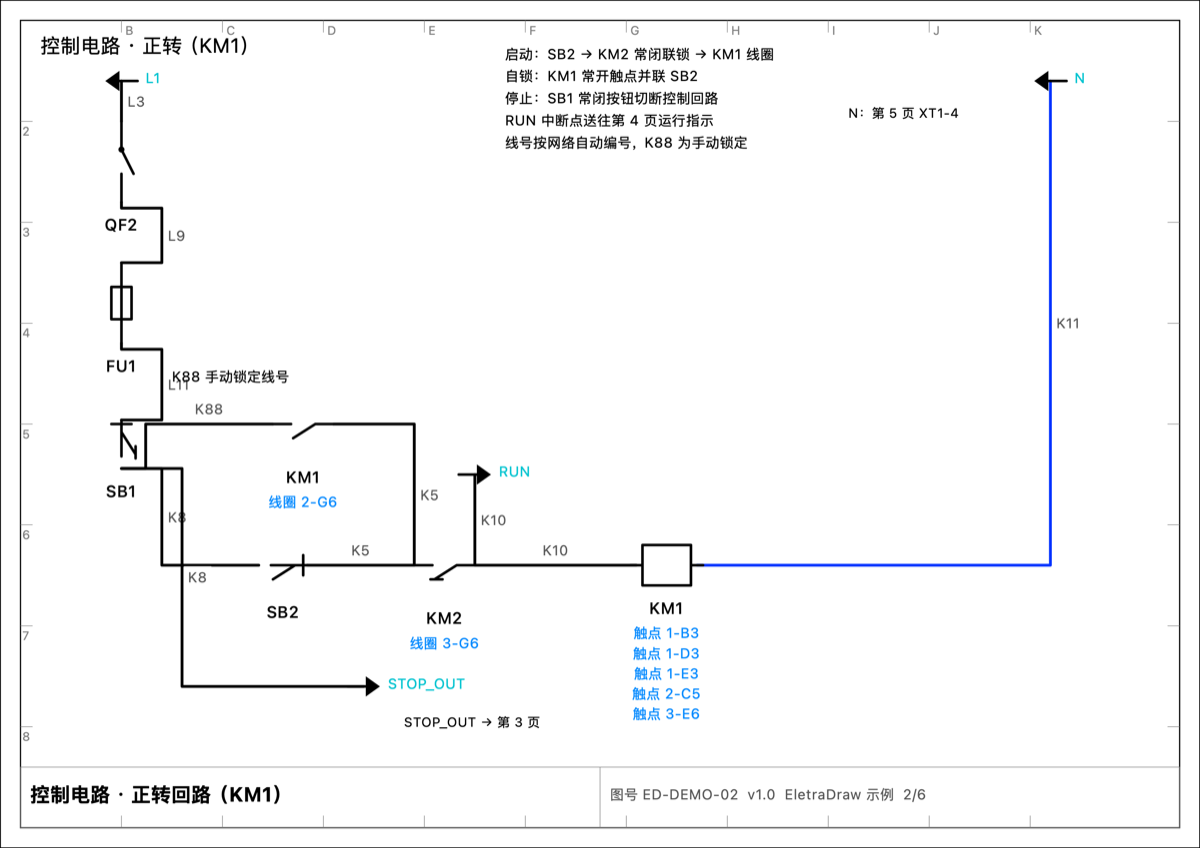
Manage A4/A3/A2 sheets in one document. Once a coil and a contact are linked to the same device, EletraDraw writes each other's page and zone on the label — for example “触点 GZ-01-B3” (contact GZ-01-B3). Hover to preview, click to jump, and rename the device to update everything. Cross-page interruption points (source/target) carry the same potential across sheets.
Electrical checks before you print
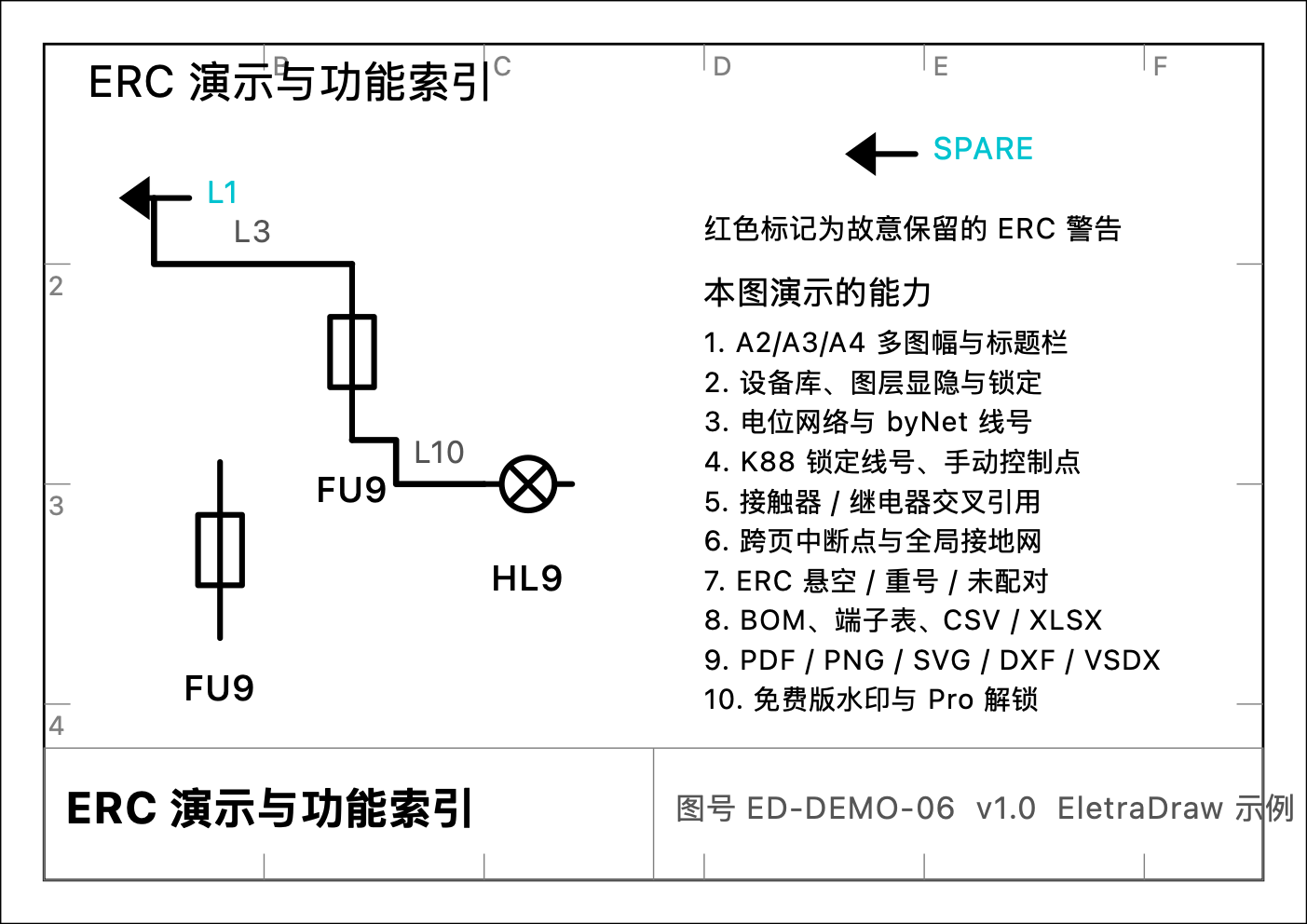
The electrical rules check (ERC, Pro) lists floating pins, junctions with too few connections, duplicate device tags and unpaired interruption points, marking each offender with a red exclamation point on the canvas. Rerun it after edits — faster than hunting errors on a printout.
Reports: BOM and terminal schedules
The BOM rolls up the whole project by device record with a clear quantity basis; hide rows you do not need and export CSV for free. Pro adds filters (main circuit only, exclude pilot lights, exclude terminals), restore hidden items, manual items and Excel export.
Terminal strips generate a terminal schedule automatically (Pro), with numbering and location. If the wire-number column is empty, run Renumber All first.
Import and export: working with CAD
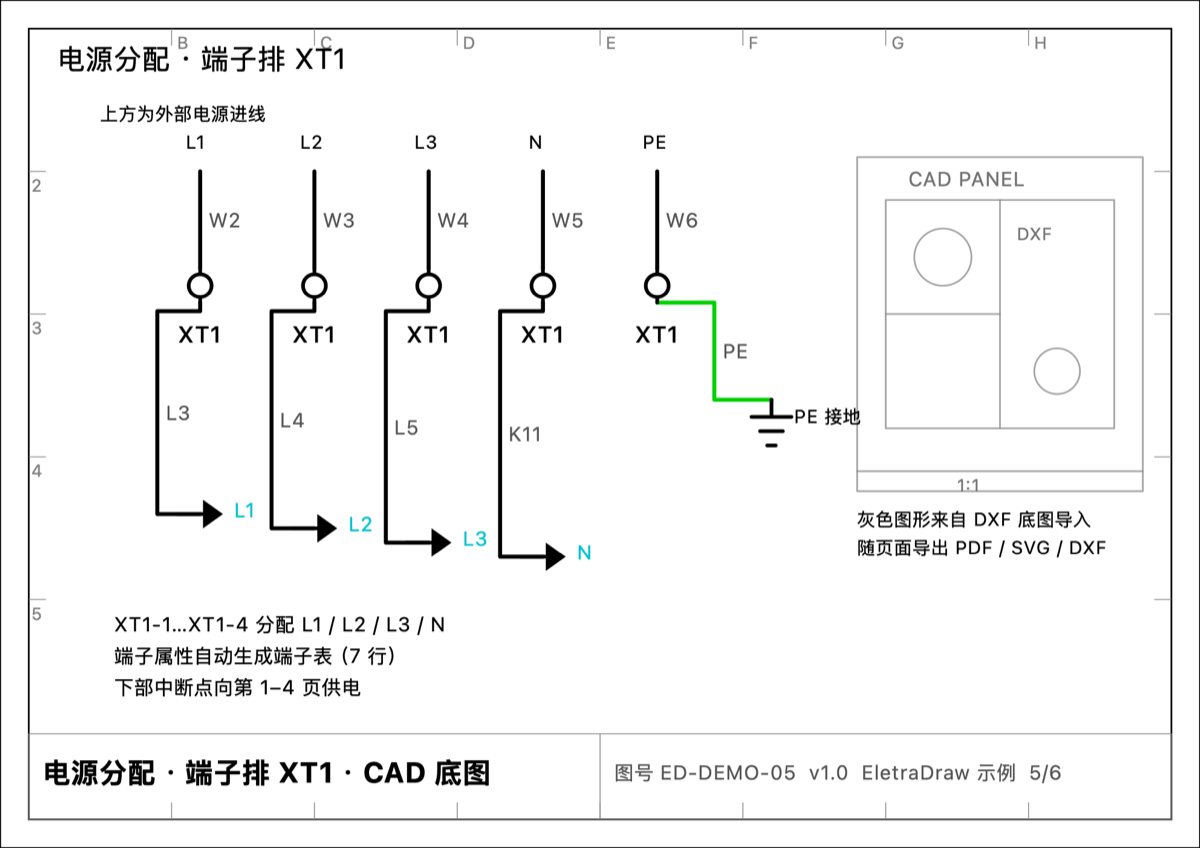
Read VSDX and DXF as underlays — tracing is free — display them with the sheet and clear them at any time.
Export PDF (all sheets), PNG or SVG (current sheet); Pro adds DXF and VSDX export, keeps cross-references in PDF and removes the watermark. BOM and terminal tables export as CSV / XLSX, and printing uses the system print panel.
Sheet setup, layers and the interface
New documents open as landscape A4 (297×210 mm) with a 5 mm snapping grid; the title block in the bottom-right corner holds drawing name, number, version and designer. Sheet sizes include A0–A4, B0–B5 and custom.
Layers are visibility and editing switches, not containers: electrical connections across layers work normally. The interface supports light and dark mode and trackpad zoom and pan, and all computation stays on your Mac.
Free vs Pro
| Capability | Free | Pro |
|---|---|---|
| Sheets | 2 | Unlimited |
| Symbols | 17 basic + Generic Component | All 64 standard symbols |
| Placing, wiring, junctions, path editing, layers, text | Full | Full |
| Manual wire numbers, Renumber All / selected | Full | Full |
| Numbering rules (prefix, start, step) and locks | Not available | Yes |
| Cross-references and click-to-jump | Not available | Yes |
| Electrical rules check (ERC) | Not available | Yes |
| BOM totals, hide rows, CSV export | Full | Full |
| BOM filters, restore hidden, manual items, Excel | Not available | Yes |
| Terminal schedule | Not available | Yes |
| PDF / PNG / SVG export | Watermarked, without cross-references | No watermark, with cross-references |
| DXF underlay import | Full | Full |
| DXF export, VSDX import/export | Not available | Yes |
| Price | Free | $29.99, one-time purchase |
Note
The free edition draws up to 2 sheets without interruption; the limit appears when you click New Sheet. A document created with Pro still opens and edits in the free edition — you just cannot add sheets, and Pro features stay hidden.
Scope and known limitations
EletraDraw focuses on lightweight control-cabinet schematics. It is not a high-voltage primary distribution or substation tool, and it does not include PCB layout, circuit simulation, PLC code generation or 3D cabinet layout.
Known limitations in 1.0: no cross-sheet copy and paste, sheet pages cannot be renamed or reordered, there is no symbol editor, Finder has no QuickLook preview, and the app interface is Chinese only. See FAQ and Known Limitations for the full list.