The container supports multiple layout methods: Stack\Autofit\Coords
-
Stack Layout: The layout direction includes both horizontal and vertical directions, through the orientation settings of the shape view panel. Horizontal stack: the sub-shape is arranged in a horizontal position inside the container, and the vertical stack: the sub-shape is arranged in a vertical direction inside the container.
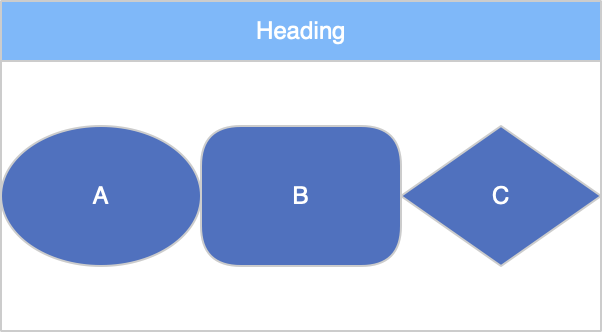
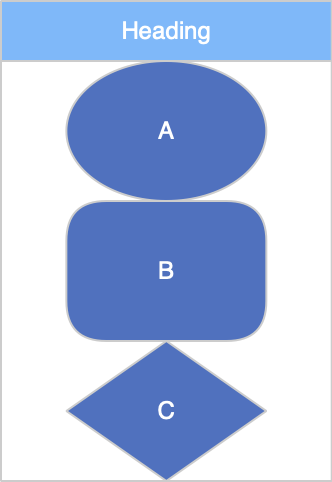
Stack Options:
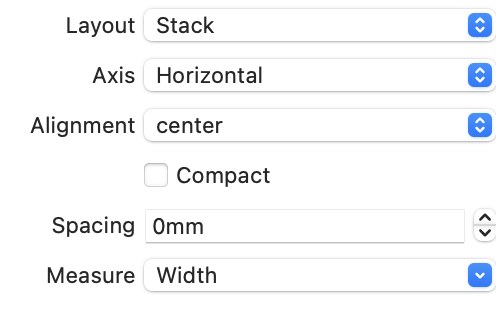
Axis:Select the layout along the horizontal or vertical direction.
-
Alignment:center,leading、traling、fill
-
Space:The distance between two adjacent child nodes
-
Compact:After the sub-shape changes, does the container automatically resize to fit the sub-shape?
-
Autofit Layout: After the sub-shape changes, if the container size is not enough to accommodate all the sub-shapes, its size will be automatically adjusted.
-
Coords Layout: The sub-shape can be placed in any position inside, and the layout of each sub-shape can be set in the x and y directions. The optional methods include:
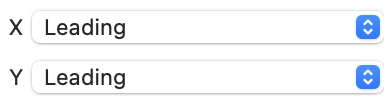
-
leading: When the container changes, the distance between the node and a left or upper side of the container remains unchanged.
-
traling: When the container changes, the distance between the node and a left or upper side of the container remains unchanged.
-
center: When the container changes, the coordinate ratio of the node relative to the container remains unchanged.
-
scale: When the container is scaled, the node follows it.
-
both ends: When the container changes, the distance between the child node and the left and right (or upper and lower sides) of the container remains unchanged.
-